Since the pandemic, QR codes have become one of the easiest ways to connect customers with businesses: from scanning menus, opening WhatsApp chats, to following Instagram accounts. The good news is, you don’t need an expensive system just to start using QR codes.
With links you already have (menu, WhatsApp number, social media profiles), you can generate QR codes yourself and print them on various media.
This article covers:
- The most relevant QR code types for small businesses
- Best practices for placing QR codes so they’re easy to scan
- How to create QR codes for your business using online generators
At the end, you can try our QR generator directly on this page:
Why QR Codes Matter for Your Business
Here’s why QR codes are highly relevant for businesses and SMEs:
- Reduce friction: customers don’t need to type phone numbers or URLs.
- Flexible: can be placed on tables, posters, receipts, packaging, business cards, and more.
- Easy to update: if the link points to a page you control, you can update information without reprinting the QR (for example, a menu on your website).
- Look modern and tidy: improves the overall customer experience.
With the right strategy, QR codes are not just a gimmick — they become a real channel to support sales and customer interaction.
Popular QR Code Types for Small Businesses
You don’t have to use all QR types at once. Focus on the use cases that are closest to your current operations.
The visual below summarizes the most common QR types:
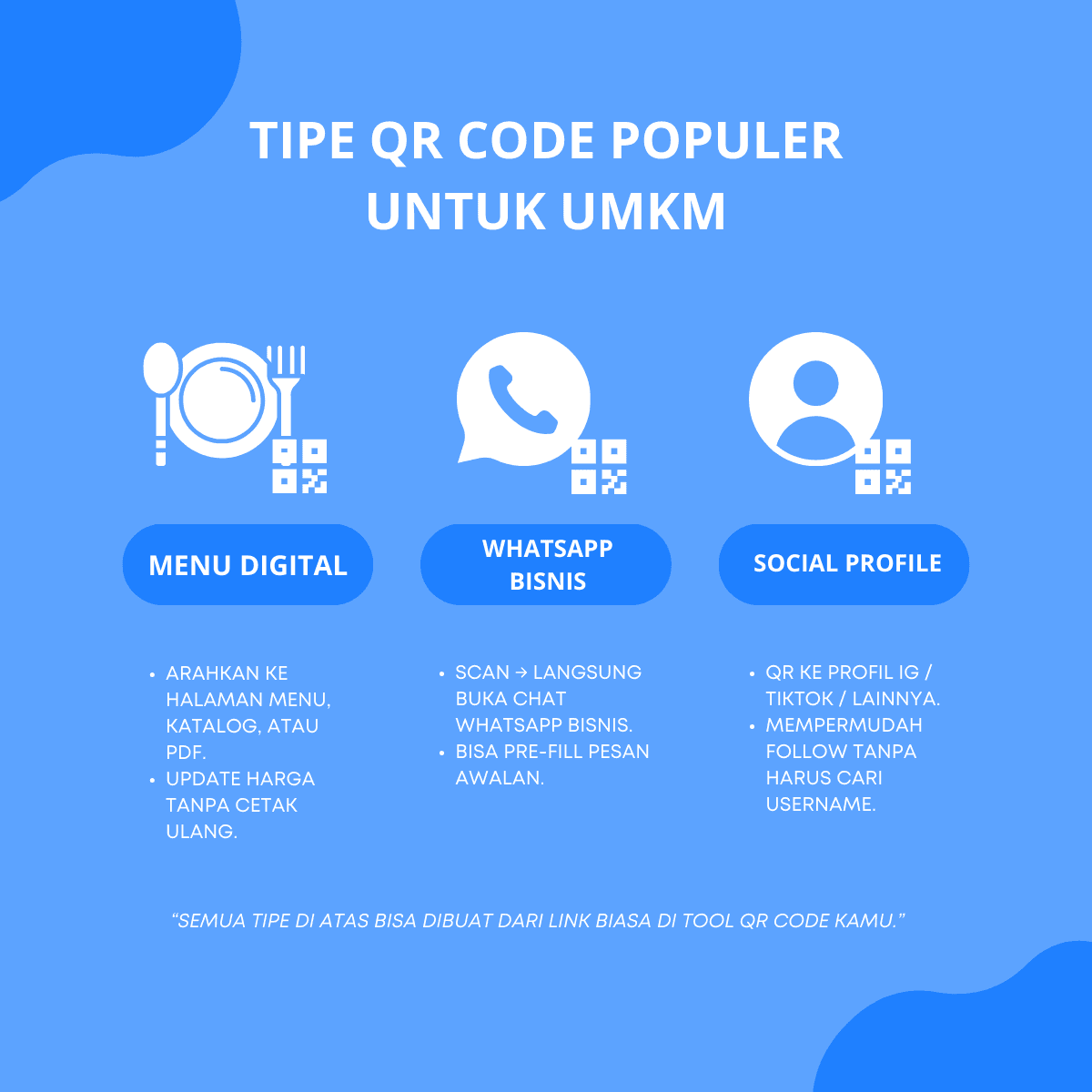
In general:
1. Digital Menu
Best suited for:
- Restaurants, cafés, coffee shops, food courts, cloud kitchens
- Stores that have a product catalog as a web page or PDF
Benefits:
- Customers can view the menu without touching physical menus.
- Price or stock changes can be updated on the menu page without reprinting.
The link used can be:
- A URL to the menu page on your website
- A URL to a PDF menu hosted online
2. WhatsApp Business
Suitable for almost any business that relies on direct conversations:
- Service providers
- Consultants
- Online shops
- Clinics, salons, and more
Benefits:
- Customers just scan to open a WhatsApp chat with your business.
- A pre-filled message can be added so the conversation starts clearly.
Example link format:
https://wa.me/62812XXXXXXX?text=Hello,%20I%27m%20interested%20in%20...
3. Social Profile
Useful for strengthening your brand and community:
- Direct people to your Instagram, TikTok, or other social profiles.
- Makes it easy for customers to follow you without manually searching your username.
Examples:
https://www.instagram.com/youraccounthttps://www.tiktok.com/@youraccount
For most SMEs, these three QR types already cover the majority of use cases.
Best Practices for Placing QR Codes
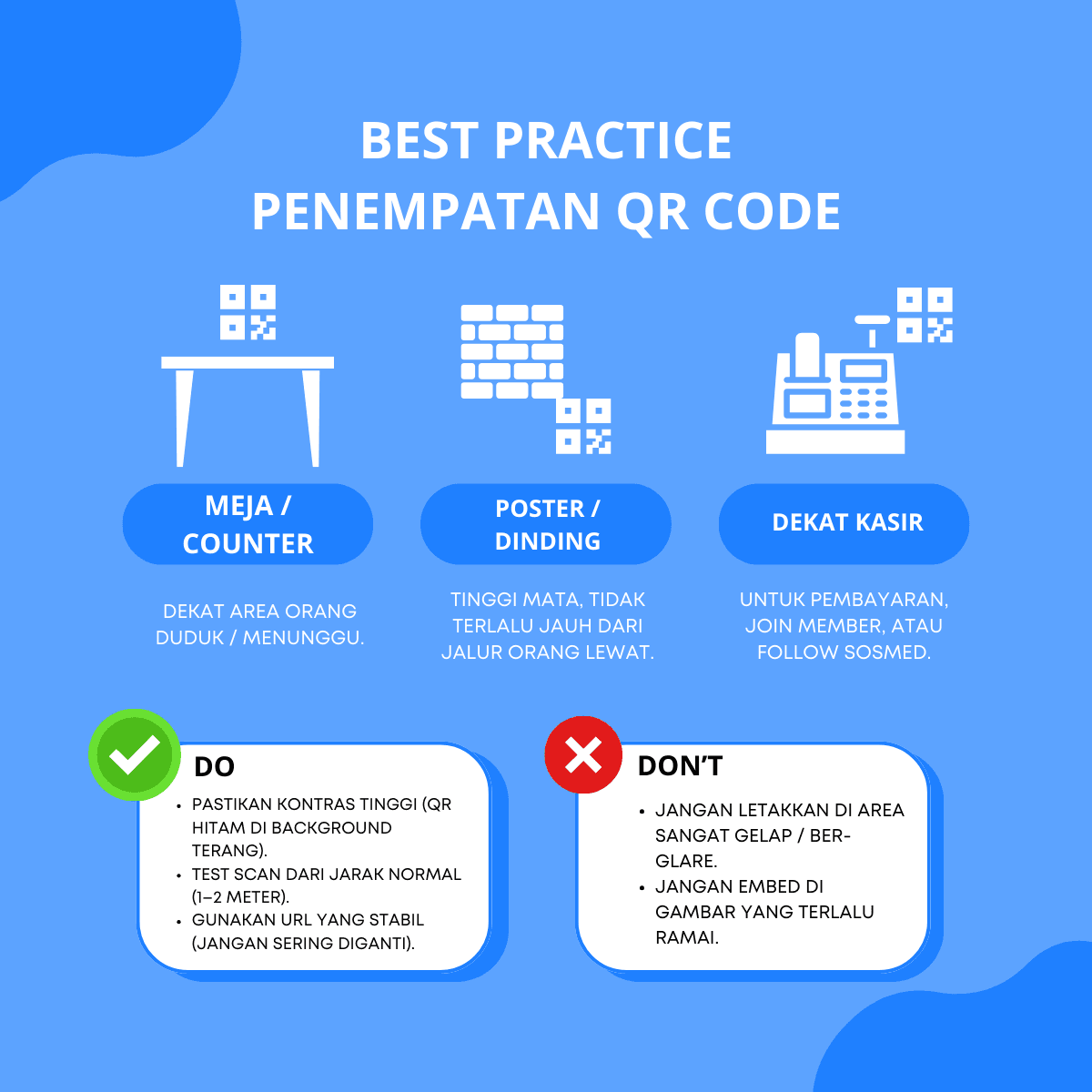
A great QR code is useless if it’s placed in the wrong spot or is hard to scan. The infographic below summarizes best practices for QR code placement in business environments.
Recommended Locations
-
Tables / Counters
- Near where people sit or wait
- Ideal for digital menus, feedback forms, or social follows
-
Posters / Walls
- At eye level, not too far from the path where people walk
- Great for promotions, vouchers, or event registrations
-
Near the Cashier
- For payments, joining membership, or following social media
- A strategic spot when customers are ready to transact
Do: What You Should Do
- Ensure high contrast: black QR on a light background is usually safest.
- Test scanning from a normal distance (1–2 meters) before mass printing.
- Use stable URLs — don’t keep changing links without a clear reason.
Don’t: What to Avoid
- Placing QR codes in very dark areas or spots with heavy glare.
- Embedding QR codes into overly busy backgrounds that make them hard to see.
- Making the QR code too small to scan in real-world conditions.
How to Create QR Codes for Your Business
To start using QR codes, you only need three things:
-
A clear goal
For example: people scan to see the menu, open WhatsApp, or follow Instagram. -
The right link
Prepare the URL you want people to visit (menu, WhatsApp link, IG profile, etc.). -
A QR code generator
Use an online tool to turn those links into QR codes.
You can use our QR generator here:
Quick steps:
- Open the QR generator page:
/tools/qr - Choose the content type: URL, WhatsApp, or others
- Paste the link you prepared
- Preview the QR code
- Download it and use it in your poster, menu, or other media
Integrating QR Codes with Your Design and Campaigns
To get maximum value from QR codes:
-
Explain the benefit near the QR
For example: “Scan to view menu” or “Scan to chat with us on WhatsApp”. -
Keep the style consistent with your brand
Even if the core QR stays black and white, the frame, text, and icons around it should follow your visual identity. -
Connect it with active campaigns
Example: a special discount campaign only accessible via the QR printed on your tables. -
Monitor the results
If you use trackable links (UTM parameters or short links), you can see how many people visit from your QR codes.
Making QR Codes Part of the Customer Journey
QR codes don’t stand alone. They act as small bridges in your customer journey:
- From seeing a banner to opening a WhatsApp chat
- From sitting at a table to viewing your full menu
- From making a payment to following your social accounts
With the right design, strategic placement, and correct links, QR codes can become one of the most cost-effective channels to increase customer interaction.
If you want to start now, you can try:
Begin with one use case that’s most relevant, test it in the real world, then expand to other touchpoints in your business. That way, QR codes become a real growth tool — not just a passing trend.