Many F&B businesses start from a small kitchen with simple processes. But as orders grow and branches increase, manual recording methods are no longer sufficient. Stock becomes hard to monitor, sales reports arrive late, and business decisions are often made without complete data.
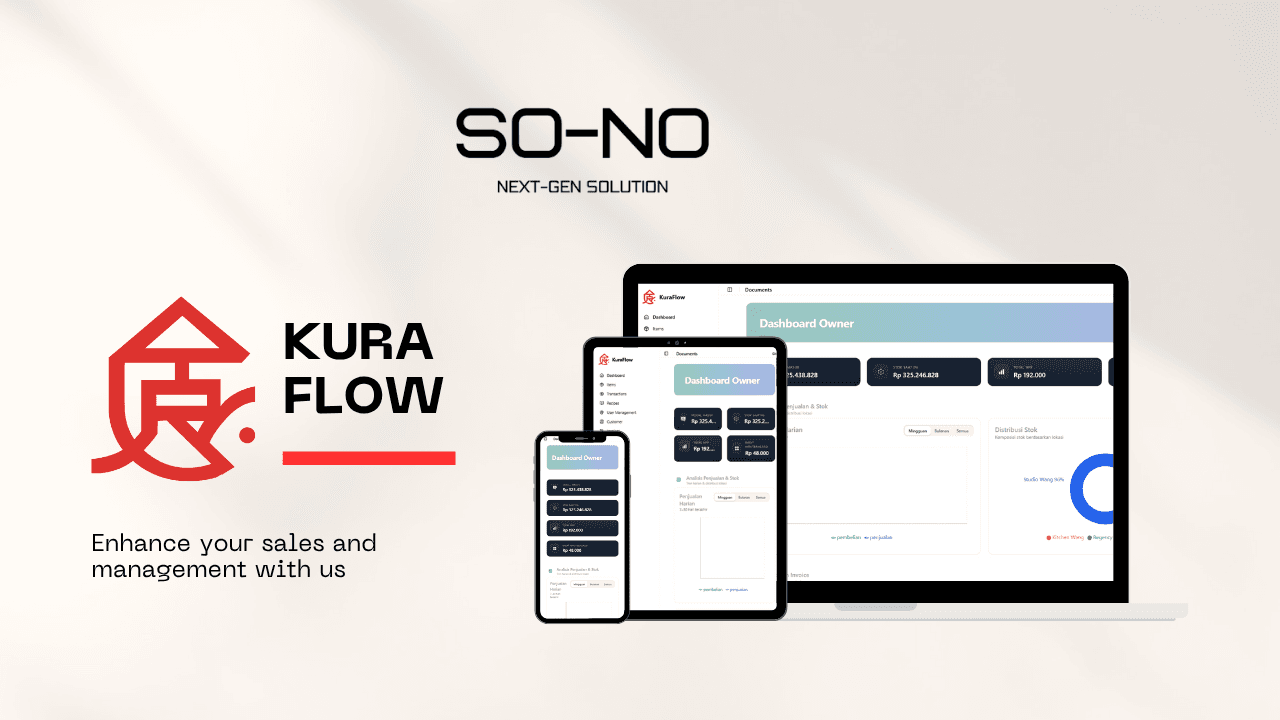
KuraFlow was created to answer these challenges: a POS and inventory system designed specifically for the needs of F&B businesses, from small shops to multi-outlet chains.
This case study covers:
- The condition before KuraFlow was implemented
- The solution we built and how the system flows
- The impact after running in production
- Lessons that are relevant for other F&B owners
Challenges Before KuraFlow
Before using KuraFlow, the recurring problems looked roughly like this:
- Stock was still recorded manually in notebooks or separate Excel files.
- Owners found it difficult to know real-time stock per outlet without contacting each team one by one.
- Sales reports were compiled manually at the end of the day or month, often late and inconsistent in format.
- There were stock discrepancies and wasted ingredients, but it was hard to trace the root cause.
This situation made it difficult for owners to answer basic questions:
- Which menu items are the most profitable?
- Which outlets are healthiest in terms of stock and sales?
- How much ingredient waste actually happens each month?
The Solution: KuraFlow POS & Inventory
Together with the client’s team, we designed KuraFlow as a single system that handles two main areas:
- Outlet POS to record daily transactions quickly and consistently.
- Centralized inventory that tracks stock movements from purchasing to sales.
Some design principles we adhered to:
- A simple interface for cashiers, so the transition from legacy systems doesn’t feel overwhelming.
- Data entered once at the POS should automatically affect stock and reports.
- A concise owner dashboard, focusing on the numbers needed for day-to-day decisions.
KuraFlow System Flow
At a high level, KuraFlow’s data flow follows the existing F&B business processes, but makes them cleaner and more integrated.
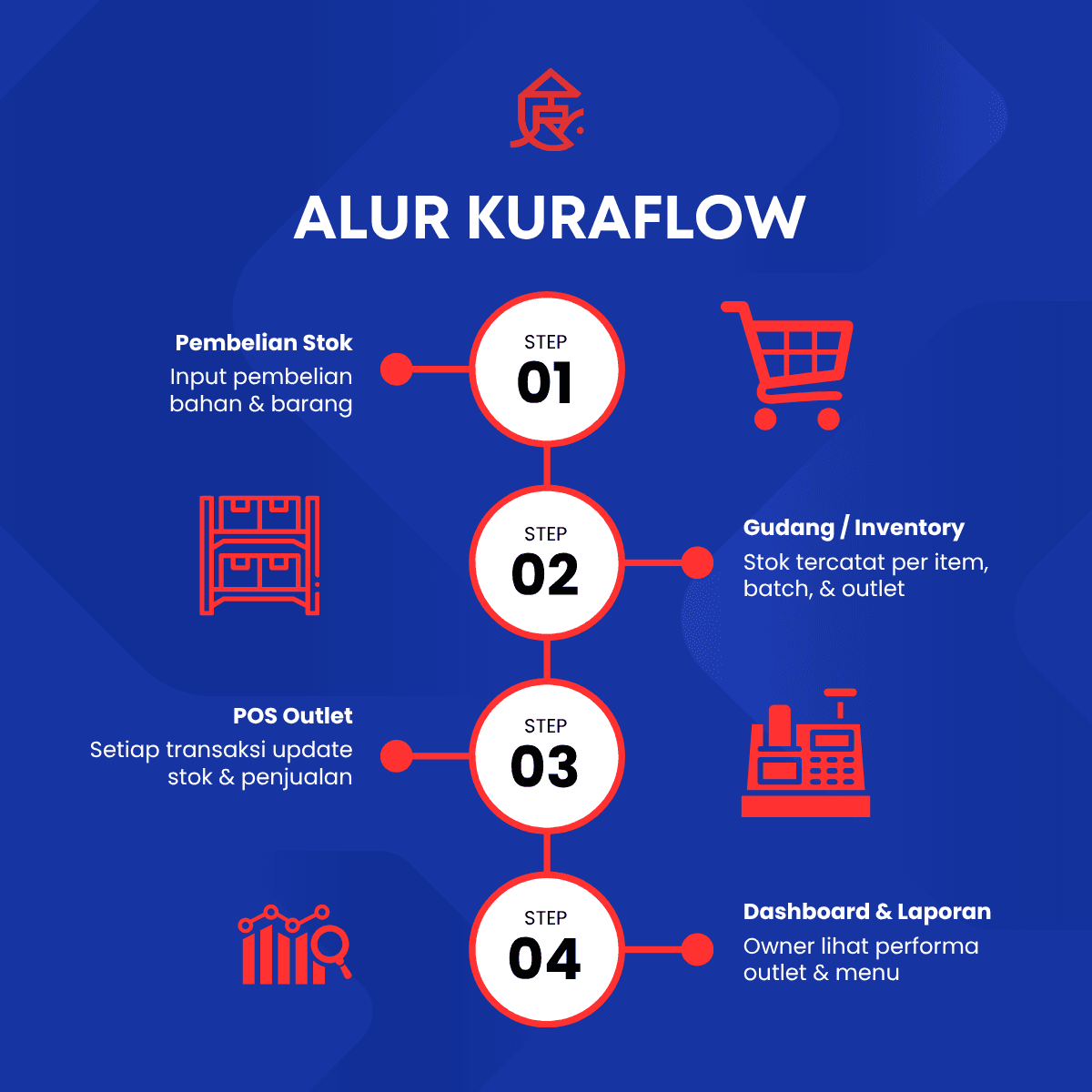
There are four main steps:
-
Stock Purchasing
The team inputs ingredient and goods purchases into the system. Every incoming item is recorded clearly, including batch information if needed. -
Warehouse / Inventory
Stock is stored in the inventory module with details per item, batch, and outlet. Every movement is recorded whenever there is a purchase, transfer, or sale. -
Outlet POS
Each transaction at the cashier immediately reduces stock and adds to sales data. No need to recompile data manually at the end of the day. -
Dashboard & Reports
Owners can view outlet and menu performance through the dashboard: revenue summary, sales per category, and key stock positions.
With this flow, data is no longer scattered across many files and notes, but flows through one consistent system.
Before & After Implementing KuraFlow
The most visible changes appeared when daily operations started running on KuraFlow. The infographic below summarizes the conditions before and after implementation.
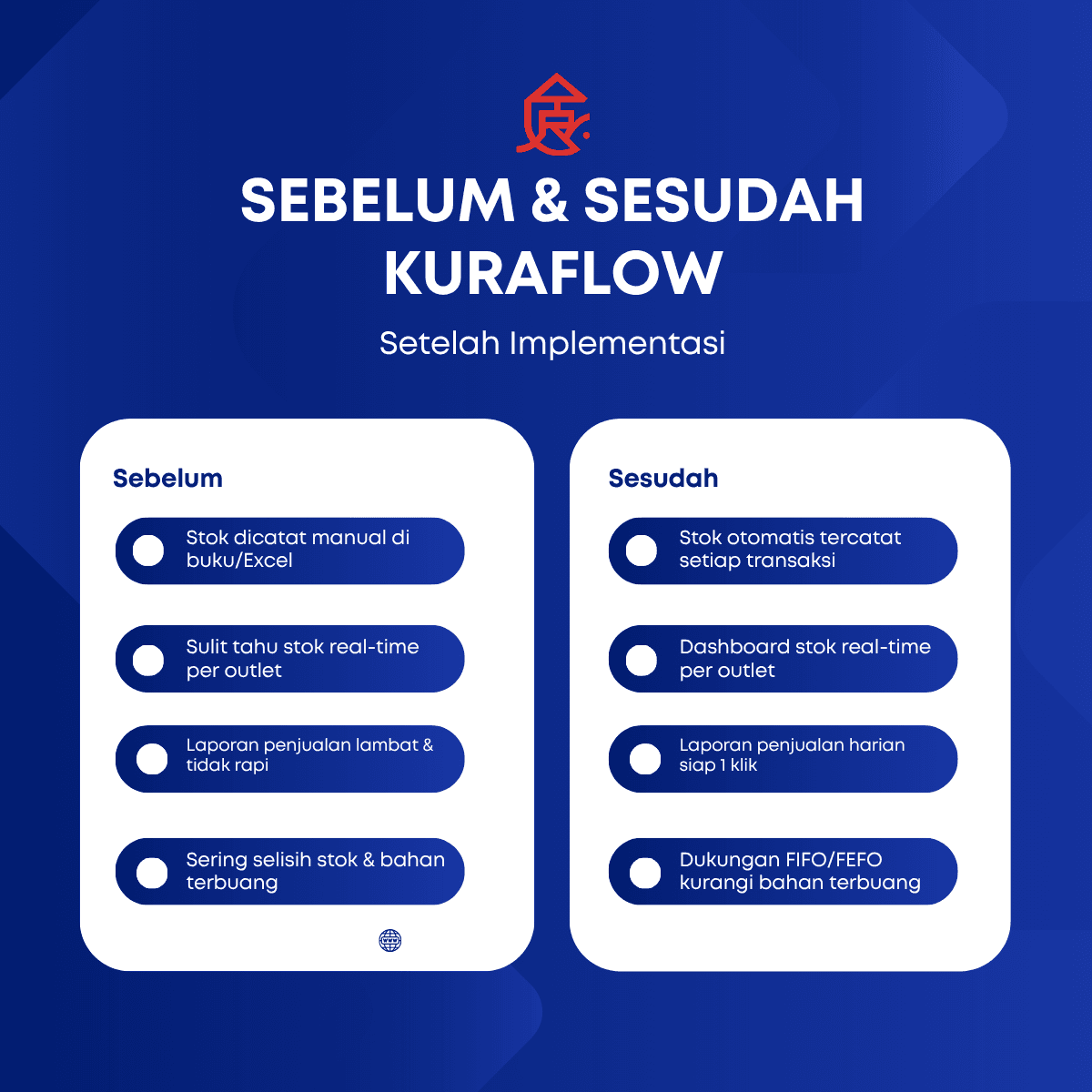
Before
- Stock recorded manually in notebooks or Excel.
- Difficult to know real-time stock per outlet.
- Sales reports were slow and inconsistent in format.
- Frequent stock discrepancies and wasted ingredients.
After
- Stock is automatically recorded with every transaction.
- Real-time stock dashboards per outlet are accessible anytime.
- Daily sales reports are ready in one click, with a consistent format.
- FIFO/FEFO methods help reduce expired ingredients and unused leftovers.
These changes not only make daily operations easier, but also provide better transparency for management.
Impact for Owners and Teams
Some practical impacts felt after KuraFlow went live:
-
Faster, data-driven decisions
Owners can monitor outlet performance, menu categories, and sales trends without waiting for manual recaps. -
Tighter stock control
The inventory system helps identify items with abnormal movement, so potential leakage or mismanagement can be addressed quickly. -
More structured team workflows
Cashiers focus on transactions, warehouse staff focus on receiving and issuing stock, and management focuses on analysis. -
A foundation for future development
With clean data, the business is ready to add modules such as loyalty programs, advanced analytics, or integrations with online sales channels.
Lessons for Other F&B Businesses
From implementing KuraFlow, there are several lessons that are relevant to other F&B owners:
-
Start from existing processes, then optimize
The most effective systems follow how the team already works, not ones that force everyone to change habits overnight. -
Unify sales and stock recording
Having a POS without integration to stock only moves the problem from paper to screen. Integration is the key. -
Data must be easy to read, not just complete
Dashboards that are too complex are hard to adopt. Focus on a handful of key indicators that answer daily business questions. -
Digitalization is a journey, not a one-off project
Systems need to grow with the business. That’s why it’s important to choose an architecture and technology partner that can support you long term.
How We Can Help
KuraFlow is an example of how custom software can deliver real value when it is designed directly from real-world needs. At Sono Next-Gen Solutions, we help F&B businesses and other sectors to:
- Map operational processes and key pain points.
- Decide whether you only need SaaS tools, a combination of tools, or a custom system like KuraFlow.
- Design and build systems that integrate well with your existing processes and teams.
- Support implementation and continuous development.
If you’re facing similar challenges in managing stock, sales, and outlets, this case study can be a starting reference to design the right solution for your business. We’re happy to discuss what might be possible in your environment.